Pixverse Ai video Generator Apk – Best Ai Video generator App
So hi friends in this article we will discuss about pixverse AI video generator application. This is the best Ai generated application that give you the power to generate amazing a video by giving some prompts You can also create images by giving the image to the application and give some prompts and what you want to do with the image tell the website application so it can create the video for you easily in this article I will tell you about everything so keep connected to the article till the end.
Features of Pixverse Ai video Generator Apk
No I am telling you some features of this application there are lots of each other available but I am telling you some important feature of this application.
- Best AI video generator
This is the best AI video generator application I have ever used because interface of this application is very simple and you can easily use this application so after using this application you can easily know why I am asking you This is the best AI video generator app.
- Image to video generator
You can also add image to generate video on this application so enter any image
- Text to video generator
You can easily generate video by entering the text you want enter any prompt and you can easily get a text to video generator and it’s generate amazing video.
- Free credits to generate some free video
This application also give you free credits daily basis to create two or three or one video for checking the result after checking the result you can buy premium plan to get more premium feature all this app so free credit option is for those who want to check the application.
- Lots of free template
This application give you lots of free templates so you can easily use the template to create your image to video or video like this templates easily
How to use Pixverse Ai video Generator Apk
No I am telling you how you can use this pics was a video generator application This is the best application you want to use first of all open the application and before using the application you need to create an account on this application.
How to create account on pixverse app
First of all open the pictures application and it will show you the screen like this.
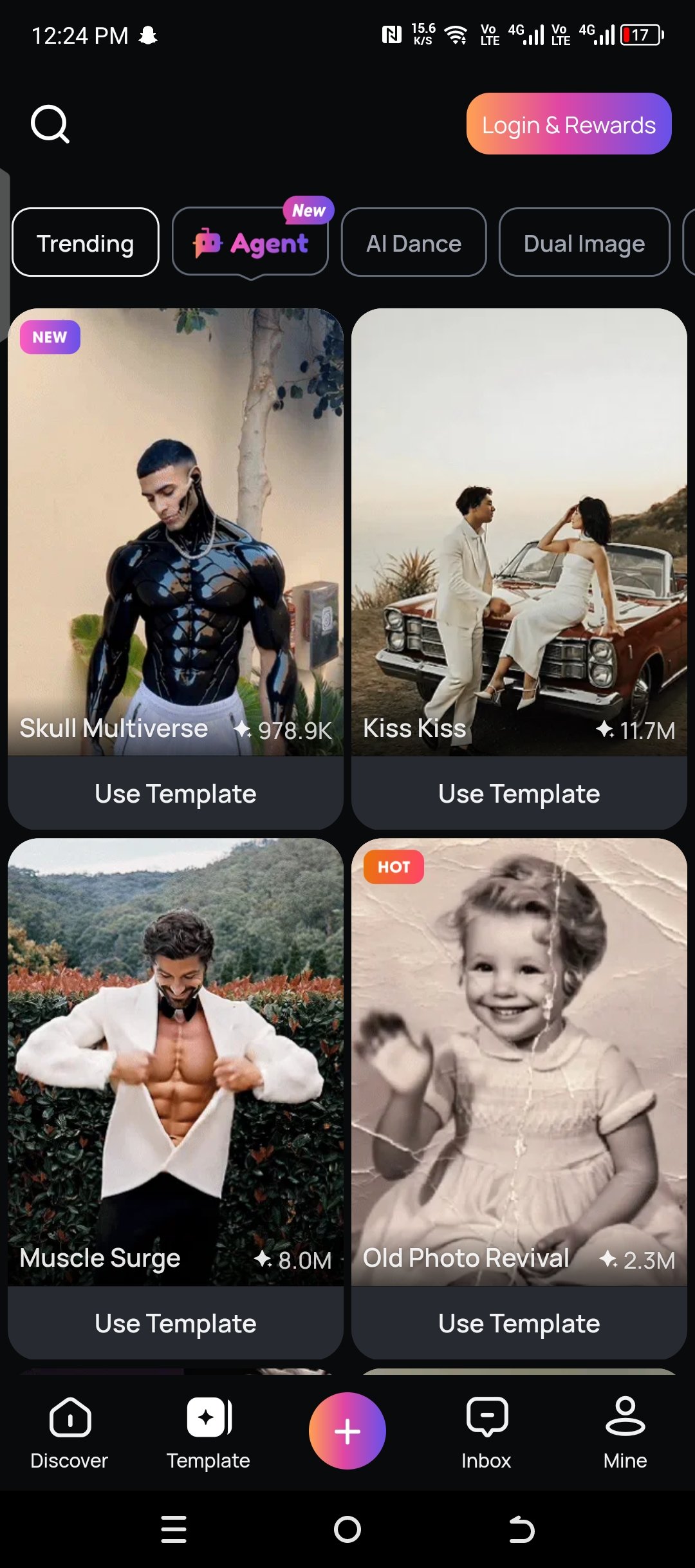
So here you can see the main interface of this application for creating down on this application click on mine option and it will show you the option for login.
It will provide you three option to login on this account first of all the first option is login with Google second option with login with Facebook and third option is login with email. So connect with Google are with the email you are so write the email then enter your username then password confirm password and click on continue option our email verification or to be send to your email enter the email verification and your account has been created.
How to use
For using the application open the application and go to the plus icon for create your video by click on it there are two option upload image and enter the prompt of your video so enter the image if you are image to video and also you can enter prompt for creating prompt video it can take only seconds to generate your video easily.
Lots of template
Lisa application also give you lots of free templates so you can easily use the template to create the video look like at the templates